How to Schedule Auto-Dim and Screen Standby On Your Raspberry Pi 2, 3 or Zero 2 W
Dim your frame in the evening, put the screen to sleep at night and wake it in the morning, without crashing pi3d. A guest guide using wlopm and Gammastep on Bookworm with labwc.
A Build-vs-Buy Debate That Led To Writing Custom Software
A digital picture frame built with Rust and AI. A 27-inch 4K panel, a Raspberry Pi 5, a wooden surround, and nine months of custom software.

Syncthing for your picture frame, step by step: one folder, two machines, no cloud
Everybody gets stuck at the same place: which folder pairs with which, and who is allowed to delete what. Here is the whole thing worked through once, slowly, with a real example you can copy.
How to back up your Raspberry Pi picture frame while it is running (2026 Edition)
Plug a USB stick into your frame, type a few commands, and your Raspberry Pi makes a bootable copy of itself every week. No other computer needed.
How to reach your Raspberry Pi digital picture frame from anywhere with Tailscale
A remote shell lets you fix a frame from a distance. Tailscale goes further: the web interface, Syncthing and the file share all come with it, exactly as if you were sitting on your own sofa.

How to build the best Raspberry Pi digital picture frame (2026 Edition, Pi 4/5)
A complete rebuild of the picture frame software for today's Raspberry Pi OS. No desktop, no compositor, no hand-written service files — one command, and your frame is running.
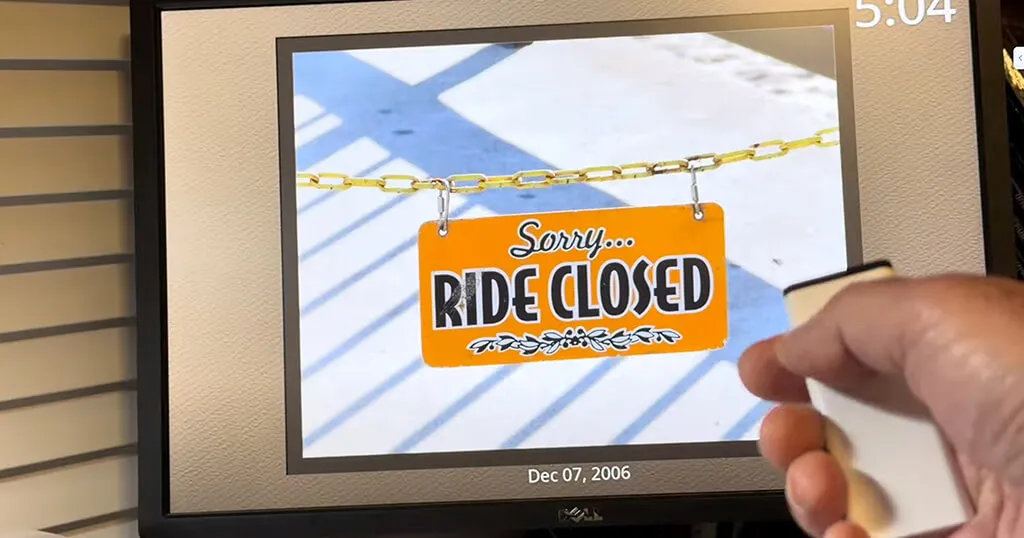
Adding an Apple TV Remote Control to My Raspberry Pi Photo Frame
Do you still have an old Apple Remote lying around? Use it to control your picture frame.

MetaPi – a perfect Android companion app for the Pi3D digital picture frame
Students at the Algonquin College took on the task to develop an app to prepare images for digital picture frames.

Adding Motion Detection and Smart Power Control to My Digital Photo Frame
Turn your Raspberry Pi digital photo frame into a smart display that wakes when you walk by, sleeps when you don’t, and stays off overnight.
Using icloudpd to sync iCloud Photos to a Raspberry Pi Photo Frame
Get your iCloud photos onto your frame with this simple, reliable method for auto-syncing via iCloudPD.

How to add a date filtering shortcut button in Home Assistant for your picture frame
Tap one button on your phone and have PictureFrame only show the photos of your last vacation.

How to voice control your digital picture frame using a cheap M5Stack ASR voice recognition chip
Unlock the power of voice control for your digital picture frame with the cheap M5Stack ASR chip.

How to convert an old TV box into an epic digital picture frame
You don’t need a Raspberry Pi to run PictureFrame. Just hack an old TV Box! Here is how.
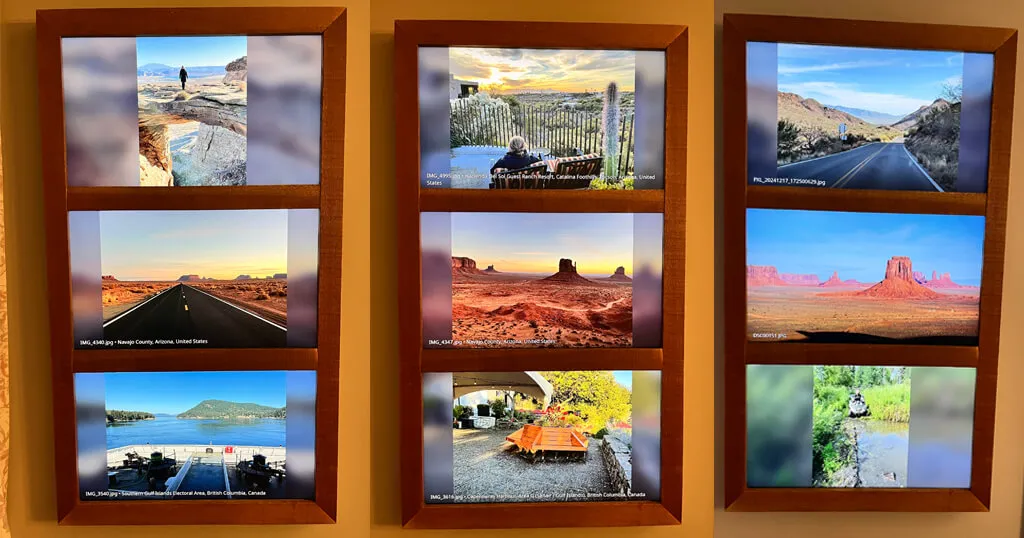
How I built a multi-photo digital frame for a tall, narrow space
Chris decided not to build one but three stacked digital frames. Here is how.

How to automatically resize images to fit your digital picture frame
Black screen on your Pi Zero with Pi3D? Your images may be too large—here’s how to fix it automatically.

Which SD card is best for a Raspberry Pi?
Your Raspberry Pi is only as fast as the SD card you feed it—discover which ones deliver top performance.

How to adjust the default time setting of PictureFrame in Home Assistant
Increase the maximum display delay of your images in Home Assistant.

Create your own digital picture frame access point when WiFi is unavailable (2025 Bookworm Edition)
If you change your WiFi connection, accessing your digital picture frame will become challenging. Here is a simple fix.

Why you need to use a virtual environment on the Raspberry Pi when installing Python packages
Raspberry Pi OS requires you to use virtual environments with Python. What sounds complicated is actually very easy.
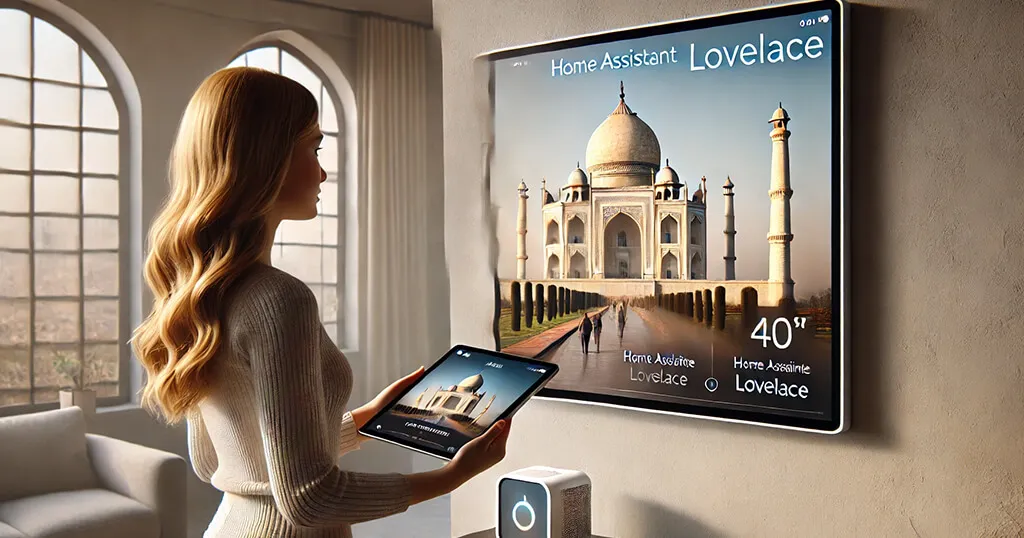
How to show your current picture frame photo in Home Assistant (2024 Edition)
Here is an updated set of instructions for displaying the currently shown image from your picture frame in Home Assistant.

Personalizing Pi3D PictureFrame: How to localize your photo geodata in any language
By default, PictureFrame uses English for geodata, but you can change the language. Here is what to do.
Why Raspberry Pi Connect is the perfect screen sharing and remote shell tool for your digital photo frame maintenance
Raspberry Pi Connect is a fantastic feature that enables both screen sharing and remote shell access to a Raspberry Pi.

Why the 2.4 GHz WiFi band is faster and more stable for your digital picture frame than 5 GHz
The 5 GHz WiFi network has higher data throughput but walls and furniture can further reduce signal strength. Less can be more.

Expand your digital picture frame use cases with Pi3D integrated USB media stick support
Enhance your Pi3D picture frame in minutes by adding USB stick compatibility for unlimited photo access.

How to automatically remove duplicate images from your Pictures folder (2024 Edition)
Sharing your picture frame library with your family or friends is an excellent idea but how to avoid ending up with many duplicates?

Beginner’s guide to Pi3D PictureFrame’s configuration.yaml file
Dive into the essentials of configuring your Pi3D picture frame with this beginner-friendly guide.

How to only show portrait photos on your Raspberry Pi photo frame
Want your photo frame to focus on portrait shots? This guide shows you how to make it happen effortlessly.
Celebrate birthdays and anniversaries with auto-themed photos on your digital frame
Wouldn’t it be nice if your digital frame automatically shows your wedding photos on your anniversary?

Install the Pi3D PictureFrame software with one click (2025 Edition, Raspberry Pi 2/3/4/5)
Automate all the various steps in the main PictureFrame article with this script and save a lot of time.
How to fix an unreliable WiFi connection on your Raspberry Pi picture frame
Learn how to fix unstable WiFi connections on your Raspberry Pi digital picture frame with this step-by-step guide.

How to build the best Raspberry Pi digital picture frame with Bookworm Wayland (2025 Edition, Pi 2/3/4/5)
Learn how to build the best Raspberry Pi picture frame in a few simple steps. This guide covers installation with the latest OS Bookworm.

The ultimate guide on using Samba filesharing on the Raspberry Pi with special tuning for Macs
Samba is straightforward to use but the software is so powerful that one easily encounters errors that are quick to fix if you know where to look.

Which Raspberry Pi model should you get for your digital photo frame?
Find the answer to which Raspberry model is best suited for your digital photo frame depending on display size, resolution and functionality.

How to find the IP address of a new device in your network with Angry IP Scanner
You have flashed the latest operating system image onto your Raspberry Pi. You now want to access your Pi via SSH with the Terminal app. But what is the IP?
Stay Connected: Enhancing Raspberry Pi Wi-Fi Stability by Turning Off Power Management
Disabling Wi-Fi power management on your Raspberry Pi can significantly enhance your Wi-Fi network’s stability. Check it out.

How to reduce the wear on your SD card in your Raspberry Pi digital photo frame
Log2Ram is an ingenious solution designed to extend your SD card’s life, one of two components in a picture frame that tends to break after a few years. Here is how to avoid it.

Date filtering doesn’t work? Check your photos for valid Exif date information
If you want to use date filtering capabilities of Pi3D PictureFrame using Home Assistant, you need your photos to contain valid Exif data information. Here is how to check.
Determine the power status of a connected display on a Wayland desktop
vcgencmd showed the power status of a connected monitor and no longer works. Here is how to read it with wlr-randr on a Wayland desktop, and why picframe3 needs none of it.

The genius way to remove duplicate images from your picture folder
When you have the whole family adding photos to your frame, it is not unlikely that the same photo will be uploaded several times. Here is how to remove duplicates automatically.
The new way to turn your connected HDMI monitor on and off on a Raspberry Pi (Wayland desktop)
How to turn your monitor on and off with wlr-randr on a Wayland desktop now that vcgencmd is retired, and what happens instead on picframe3.
How to send photos to your Raspberry Pi digital photo frame via email – 2022 Update
Here is an update to the popular “email-to-frame” script which allows friends & family to send photos directly to your frame.

How to add a second WiFi network to your Raspberry Pi (updated for current Raspberry Pi OS)
What if you are building a digital frame as a present and want to have the network of your recipient pre-configured? Add a second network.
How to show date and time on your digital picture frame
One of the more recent features of the image viewer Pi3D PictureFrame is the option to show the date and time as a text overlay over your photos.

How to synchronize your Raspberry Pi digital picture frame with Google Drive using rclone
If you keep your images on Google Drive you can now directly sync them with your Raspberry Pi digital picture frame.
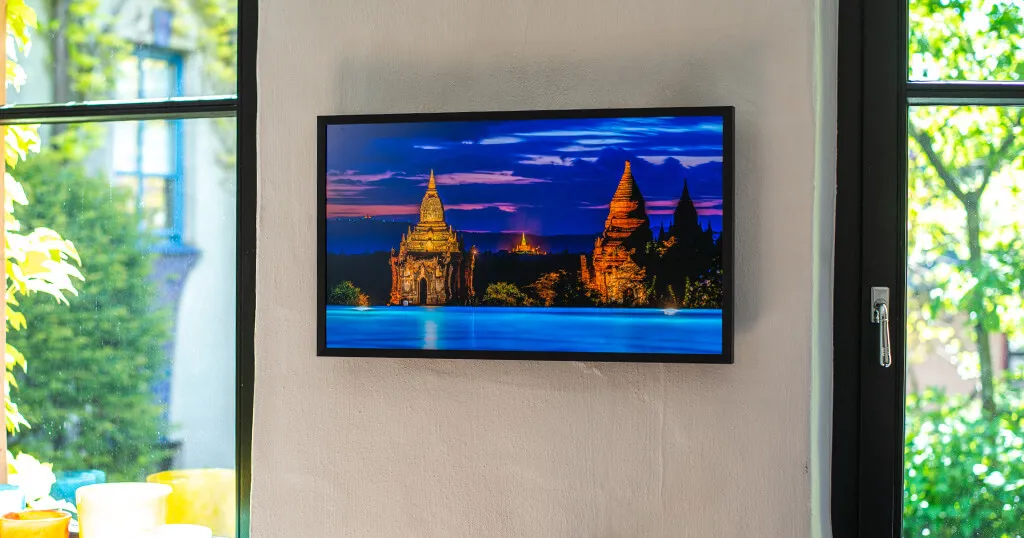
How I built a stunning 32-inch 4K digital picture frame with a Raspberry Pi 4 featuring smooth image crossfading transitions
Read my account on how I upgraded from a 24” to a 32” 4K monitor using the Pi3D PictureFrame image viewer and what the main differences were.

Watch the video how I dismantled the BenQ PD3200U monitor to build a new 4K digital picture frame with the Raspberry Pi
Opening up a working computer monitor is not for the faint-hearted. But it’s not difficult either if you know. Watch me stripping a BenQ PD3200U.

Control your monitor settings via software on your Raspberry Pi 4
Finally, the Linux program ddcutil works on the Raspberry Pi. A great tool to automate brightness controls and much more.
How to use a private key to connect your Raspberry Pi from any macOS/Linux computer
Did you know that you can log into your Raspberry Pi via Terminal without a password? And make it even more secure?

How to automatically control the display brightness of your Raspberry Pi photo frame
Changing the display brightness via software is really difficult to do from a Raspberry Pi. The Pi3D image viewer offers a great workaround.
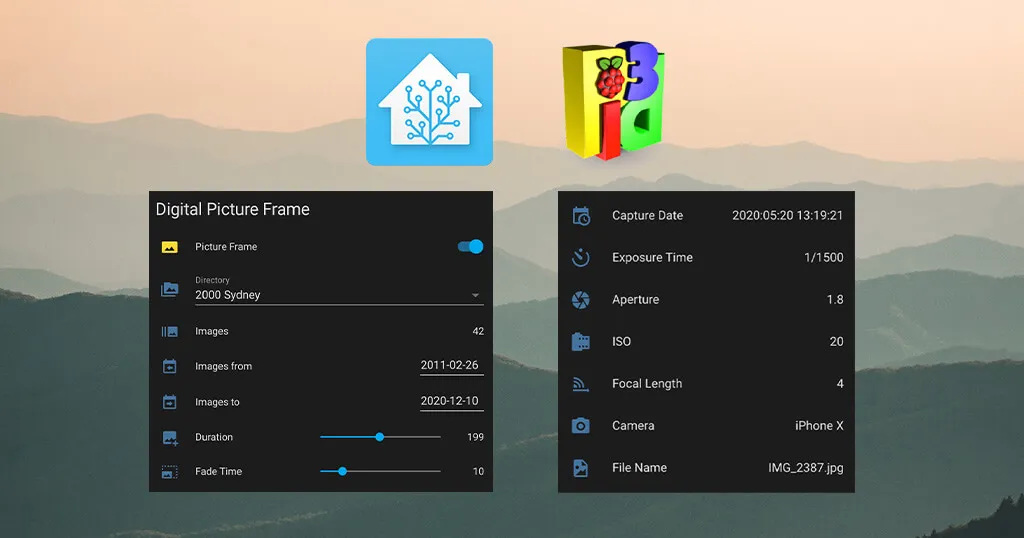
How to fully integrate your Raspberry Pi digital picture frame into Home Assistant even showing the current image
Learn how Helge tightly integrated Home Assistant and the Pi3D PictureFrame image viewer to achieve a great level of comfort and functionality.

Activate the power of the magic matting feature on your Raspberry Pi picture frame
A matte in a picture frame increases the value perception of an image and also provides a solution for photos in different aspect ratios.
Hot to disable overscan to get rid of the black border on your Raspberry Pi display
This is one of the most frequent issues for Raspberry Pi beginners. But the solution is very simple.

How to use your Raspberry Pi digital picture frame in portrait orientation
Change your landscape photo frame to portrait orientation in less than five minutes.

How to use your Apple iMac or MacBook as a monitor for any Raspberry Pi with an HDMI Video Capture Card
Are you running your Test Raspberry Pi in a headless mode without an external monitor? Here is an inexpensive and simple solution to use your computer’s monitor as a screen.

My shortlist of 32-inch high-end 4K monitors for your Raspberry Pi digital photo frame (2021 Edition)
My January 2021 shortlist. The panel advice still holds; every model named has since been discontinued.

Check the wifi signal strength of your Raspberry Pi digital picture frame before you hang it up on the wall
Sometimes you experience issues with your digital picture frame and suspect that it may have something to do with your WiFi network’s signal quality. This is how you find out.

The two main reasons why Raspberry Pi digital picture frames break – and how to avoid them
Having owned and built large digital picture frames for over twenty years now, I may have a few insightful statistics to share. Preventive maintenance goes a long way.

How to make sure that you can always connect to your Raspberry Pi picture frame even if your WiFi connection doesn’t work anymore
The day will come when, for whatever reason, your WiFi SSID or password has changed, and you cannot connect to your picture frame anymore. Get some insurance.

How to automatically remove duplicate images from your Raspberry Pi digital frame photo library
If you give your family & friends the permission to directly send pictures to your photo frame, you are likely to end up with duplicates over time. Here is how to keep your house clean.

How to trigger a Home Assistant script through Alexa and make your Raspberry Pi picture frame do (just about) anything
The image viewer Pi3D, Home Assistant and Amazon Alexa is a match made in heaven when it comes to magically control your images on the wall. Here is why.
Show the CPU temperature of your Raspberry Pi digital picture frame in Home Assistant via MQTT
Yes, this is a bit nerdy. But wouldn’t you want to monitor the CPU temperature of your Raspberry Pi? It’s easy to do with MQTT.

How to show the place where your photo was taken with the Raspberry Pi digital picture frame geolocation feature
When you have thousands of photos on your frame, you may not immediately remember every single image taken. Introducing the new Pi3D PictureFrame geolocation feature.
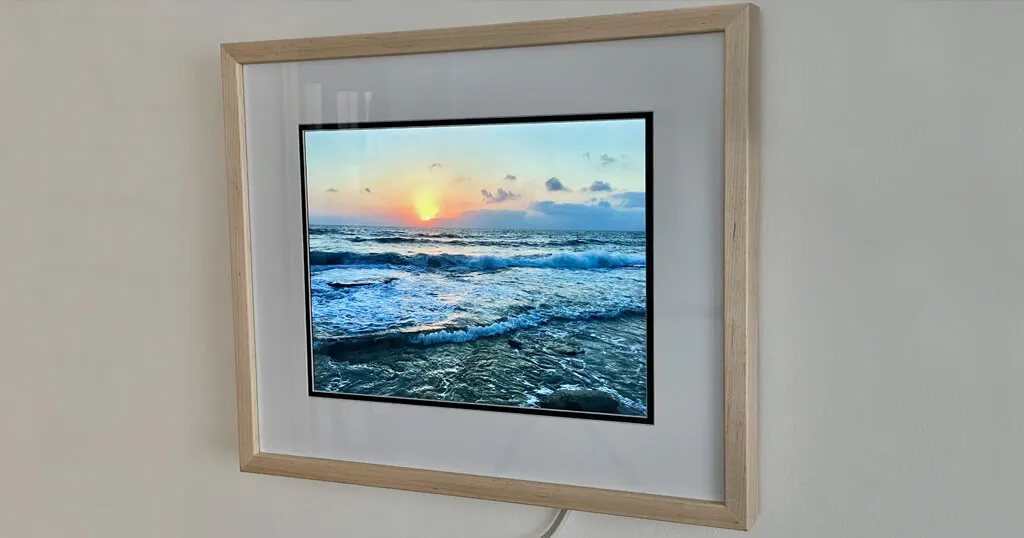
The story of Dave’s Raspberry Pi digital picture frame project with a 4:3 screen ratio and a few handy tricks
Dave had very specific requirements as to a digital picture frame. As no off-the-shelf model satisfied him, he decided to build one. With special features.
Ask Siri about when a photo on your Raspberry Pi digital picture frame was taken
When you have many photos on your digital picture frame, you probably sometimes look at an image and wonder “when was this taken”? Siri will have the answer.
The HEIC/HEIF photo format now works with the Raspberry Pi Pi3D PictureFrame image viewer
The HEIC image file format may be the successor to JPG. Popular on Apple devices, you can now use it on your Raspberry Pi with the Pi3D image viewer.
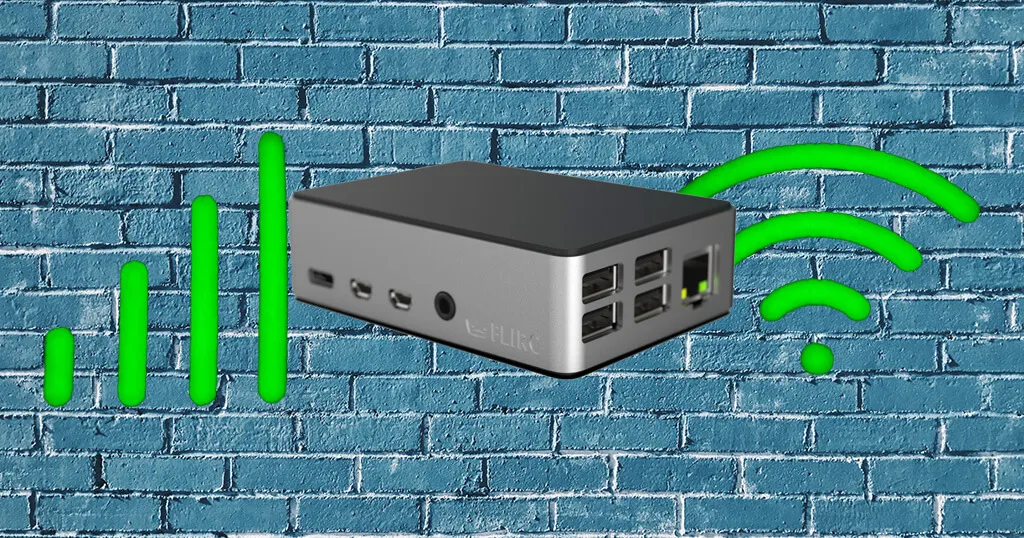
Does the onboard WiFi performance of a Raspberry Pi 4 suffer using a metal Flirc case?
The aluminum Flirc case is excellent for keeping the Raspberry Pi cool and good looking. But doesn’t the metal enclosure impact the onboard WiFi performance? I was in for an unexpected result.
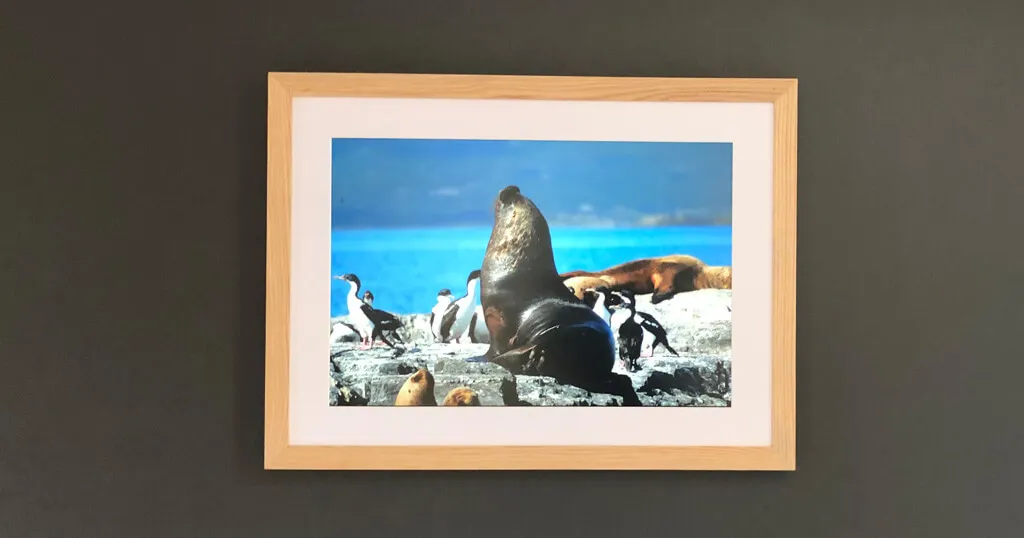
How Rob built a superslim 32-inch 4K digital picture frame based on the BenQ PD3200 and the Raspberry Pi 4
Using a completely stripped down 32-inch BenQ PD3200 computer monitor, Rob built a stunning 3:2 digital picture frame with a 4K resolution.

How to use iOS Shortcuts to control your Raspberry Pi digital picture frame via iPhone, Siri, or your Apple Watch
Here is a great way to remote control your digital picture frame with your Apple Watch or Siri. It uses Apple Shortcuts and lets you magically do almost everything.
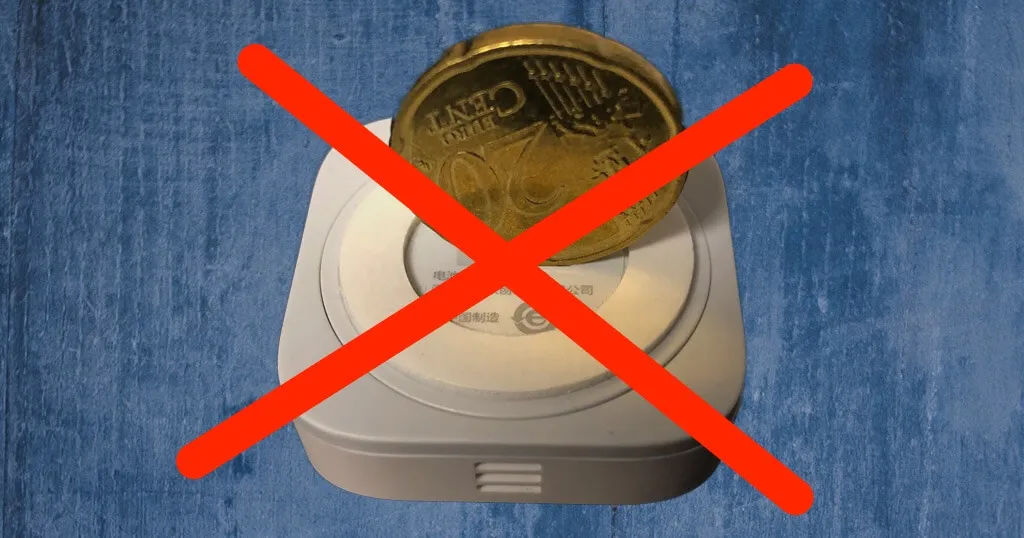
How to change the battery of your Xiaomi Aqara Temperature sensor
Aqara sensors are used in many home automation settings to measure the room temperature, alert when windows or doors open, objects move, or water is leaking. If you struggle to change the battery, read this.
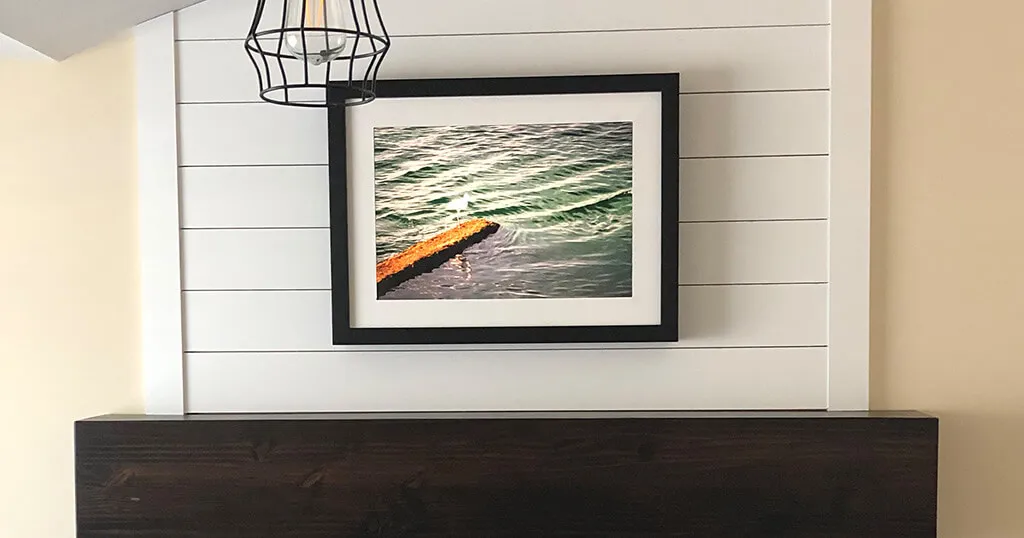
How Josh built a large digital picture frame with a 3:2 aspect ratio which is perfect for all DSLR photographers
This is the story of Josh’s recent DIY project which included building a large digital picture frame with a 3:2 aspect ratio. Oh, yes, this also caused him a full renovation of his fireplace…

How to quickly troubleshoot MQTT problems on your Raspberry Pi
Every once in awhile, setting up MQTT just doesn’t work, and you may spend hours trying to find the bug only to eventually conclude that it was just a silly small thing that you forgot. This article helps you save time.

How to start realtime systemd timer services as a crontab replacement on the Raspberry Pi
Here is a modern alternative to crontab if you want to schedule tasks based on specific dates or times.
The best 24 inches displays in 16:10 aspect ratio for your DIY Raspberry Pi digital photo frame project
In this article, I will show you three monitors I recommend for a 24 inches digital picture frame. Here is what makes them great.
How to get the Ken Burns effect on your Raspberry Pi digital photo frame?
The Ken Burns effect is a type of panning and zooming motion which makes still imagery come to life. Read here how to activate it.

The ultimate guide on using systemd to autostart scripts on the Raspberry Pi
There are several ways to autostart Python scripts. My recommendation is to use “systemd”, which became the Raspberry Pi default in 2015.

Discover the complete hard- and software setup of my Raspberry Pi digital picture frame
I often get asked for recommendations, so in this article I will show which hard- and software I am personally using for our living room photo frame.

The 5 ultimate sources for legally downloading classical art and how to best present it on your digital picture frame
There is a way to discover art, at a pace that works for everyone. At home in your living room. On your digital picture frame. This is where you find the masterpieces for free. Legally.
How to pause, go back or delete an image on your Raspberry Pi digital picture frame with a simple Alexa voice command
Did you always want to tell your picture frame to delete an image that you don’t want to see anymore? Now you can.

How to effortlessly select different image folders in Pi3D PictureFrame via mobile phone or voice
Your colleagues are expected for dinner and you don’t want to show all the family pictures on your frame. How about some art?

All the options and settings of the Pi3D PictureFrame image viewer explained in one simple cheat sheet
Overwhelmed by the many options contained in the Pi3D PictureFrame configuration file? Discover the many possibilities.
The beginner’s guide to working with the Terminal on the Raspberry Pi from a Windows, macOS, or Linux computer
Most of the tutorials here on this blog involve the use of the terminal. For Raspberry Pi novices, here are some fundamentals that make it super easy following my instructions.

The ultimate Pi3D PictureFrame FAQ Page – All the questions, all the answers and more
In this Pi3D FAQ, I have compiled questions that we received, commands you may frequently use, and several tidbits you may want to discover and try for yourself.
How to use the DashMQTT Android app to remote control your Raspberry Pi photo frame
Do you want to use your Android phone to remote control your digital picture frame? Have a look at DashMQTT.

How to use the free PiHelper iPhone app as a remote control for your Raspberry Pi picture frame
Do you want to use your iPhone/iPad to remote control your photo frame? Here is how to do it.
A step-by-step guide on how to use a voice-controlled date filter on your digital photo frame
Do you only want to show the images of your birthday party from last week on your digital frame? Just say it!
How to build a stunning high-end 32 inches 4K digital photo frame with the Raspberry Pi 4
If you love photo art and you want to enjoy it in the best possible way, your will one day end up with a 4K digital frame. Here is how to build it yourself.

My practical cheat-sheet to enter 8 often used raspi-config settings with simple terminal commands
Using the command line instead of the GUI can be a big time-saver especially for repetitive tasks. Here is my shortlist to replace the “raspi-config” menu with the command line.

How to save power by adding a PIR motion sensor to your Raspberry Pi digital picture frame
Learn about the different types of PIR sensor hardware and get a complete Python script to automate display on/off.

A step-by-step guide on how to back up the SD card of your Raspberry Pi while it’s running
No more powering down a Raspberry Pi and taking out the SD card to make a backup image. Discover Hot-cloning!

How Victor built a WiFi photo frame with Pi3D which shows the location where the photo was taken (Geolocation)
Automatically show the location where a photo was taken using the Exif data and the Pi3D image viewer.

How to synchronize your Raspberry Pi digital picture frame with your Google Photos albums using rclone
For five years this was how you put a Google Photos album on your frame. Google closed the door in 2025, so here is what happened and what to use instead.

How to install Dropbox on your Raspberry Pi using rclone
Yes, you can! Finally connect your Raspberry Pi to Dropbox and sync all your files. An official tweak makes it possible.

How to back up and restore your Raspberry Pi SD Card with ApplePi Baker on a Mac
Don’t just restore, but also backup your Raspberry Pi SD-cards and shrink the file size of your image to a minimum.

Frequently Asked Questions (FAQ) when building your own digital picture frame
All the questions you always wanted to ask but were too afraid to.

How to install the MQTT Mosquitto broker locally on your digital picture frame’s Raspberry Pi
Bring the incredible world of Internet of Things (IoT) communication to your Raspberry Pi without using Cloud services.
Get inspired for your Raspberry Pi project in The Digital Picture Frame User Gallery
Discover hacks & botches from your fellow digital photo frame home brewers.
Screen sharing between a Raspberry Pi 4 and a macOS computer
You don’t need to install any additional software to see the screen of your remote digital picture frame on your Mac. Here is how to do it.

Installing Samba on your Raspberry Pi and optimizing it for macOS computers
Many SAMBA instructions on the Internet, especially with regards to macOS, are hopelessly outdated. Here is the 2020 Version including a full SAMBA config file to copy & paste.

Using Syncthing to synchronize files between your Raspberry Pi and Mac/PC/Linux computers
If you don’t want a cloud-based Dropbox solution, nor pay for a full Resilio license, have a look at Syncthing, the great file synchronization app from Sweden. It’s even free.
What to do when you get the warning message “REMOTE HOST IDENTIFICATION HAS CHANGED” from your Raspberry Pi
Here is the solution that you stumble upon only now after spending hours trying to decode this strange error message.
Three ways to change your wifi password and SSID on a headless Raspberry Pi locally and remotely
Changing a password should be simple. But there are situations when it gets tricky. Here is how to prevent those moments.

Voice control your Raspberry Pi digital photo frame with Amazon Echo, MQTT, and Node-RED
Not using Home Assistant and looking for an alternative to use Alexa without diving deep into the bowels of an Amazon developer account? Meet Node-RED.
The best 3 image viewers for your Raspberry Pi digital picture frame project
I will show you three very different slide viewers that you can use for your digital picture frame project.

Check the Exif data of your images to prepare your Raspberry Pi photo frame for smart playlists
If you want to apply smart filters to only show specific images, you will need accurate Exif data. Run a health check on your collection.

How to customize your Raspberry Pi splash screen (Raspbian Stretch April 2019 Version)
Customize the boot-up screen of your Pi like a painter signs his work at the end of his artistic journey.
How to get rid of the blinking rainbow square on your Raspberry Pi picture frame
Now you see it, now you don’t. Learn what lies at the end of the rainbow when it starts glowing on your screen.

How to remotely access your Raspberry Pi digital picture frame from anywhere
If you have built photo frames for friends & family, here is a way to service them from a distance.

Voice control your Raspberry Pi digital photo frame with Amazon Echo and Home Assistant
In a time where we should avoid touching things, voice control is the way to go. I’ll explain how to make Alexa operate your photo frame without asking for treats.

Display the number of photos on your Raspberry Pi digital picture frame in Home Assistant
Do you want to see how many images you have uploaded to your frame? MQTT makes it easy.

Control your Raspberry Pi digital picture frame with Home Assistant’s WiFi presence detection and MQTT
One of my best articles on integrating a digital frame in to a Home Automation environment and saving power in the process.

How to add photos to your Raspberry Pi digital picture frame via email
Are you looking for a simple way for friends & family to send their images directly to your living room?
A simple way to automatically turn your Raspberry Pi digital picture frame on and off at fixed times
Are you a regular person? Use the Linux scheduler crontab to set the ON hours of your photo frame.

Use your iPhone to turn your Raspberry Pi digital picture frame on and off
The free iOS app PiHelper allows you to remote control your Raspberry Pi. Here is an example of how to control the screen of your digital picture frame.

How I added smooth crossfading image transitions to my Raspberry Pi digital picture frame (OS Buster Edition)
Pi3D PictureFrame is hands down the best image viewer software you can find for your photo frame. Look here for a full tutorial to set it up in no time.
How to get a professional and automatic aspect ratio crop for your images on your Raspberry Pi digital picture frame
Check out the online tool Croppola that uses sophisticated image recognition software to find the best composition and crop in a photo automatically.
How I built a digital picture frame with a Raspberry Pi
Follow me on my journey step-by-step to learn which hard- and software to use and a few other useful tweaks.

How to create a Dropbox-like file synchronization setup on the Raspberry Pi with Resilio Sync
Resilio Sync works like Dropbox with the difference that no copies of the files are being stored in the Cloud.

How to configure the software for your Raspberry Pi digital picture frame in 60 minutes (OS Buster Edition)
Learn how to install everything you need for a digital picture frame including Raspberry Pi OS, Samba, Pi3D image viewer and autostart.
5 essential tips I learned from building Raspberry Pi digital picture frames
I have spent countless hours researching the subject of digital picture frames. In this article, I will share my key findings with you.

Why the Raspberry Pi is the best choice for your digital picture frame project
Why I ended up using the Raspberry Pi for my digital picture frame and why I have no regrets five years later.

Why building your own Raspberry Pi digital picture frame is great fun
There are many digital picture frames out there that you can buy, but depending on your requirements, they may not exactly correspond to what you want to have in your living room.

Read these 10 essential tips for picking the right monitor for a Raspberry Pi digital picture frame
Check out this article before you go out and buy a computer monitor for your digital frame project.

